What Happens to Your Conversations and Connections If a Rented LinkedIn Account Is Banned?
If a rented LinkedIn account is restricted, its connections and threads stay with that account. What you lose, what you can keep, and how to plan ahead.
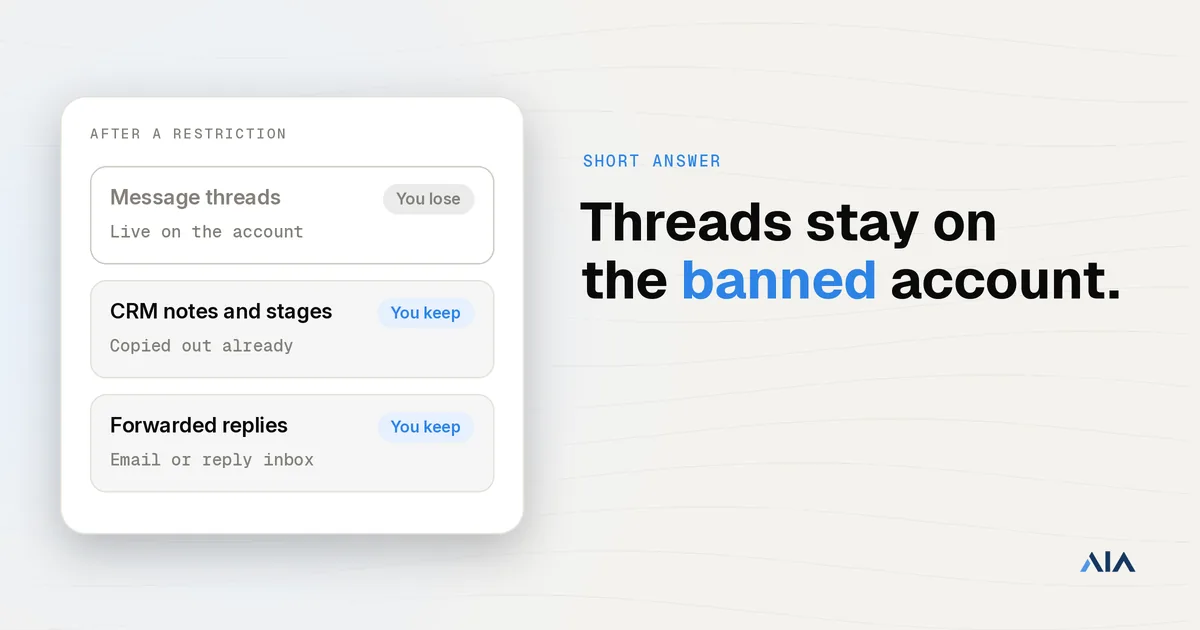
Connections and message threads live on the LinkedIn account, not with you. If a rented account is restricted or banned, you lose access to its inbox and network, and a replacement profile starts with its own, different connections. What you keep is what you copied out beforehand: contacts, thread history and deal stages in your CRM or outreach tool.
The short answer
The account holds the relationships. Your CRM, your outreach tool, and your email hold only the copy you made while you still had access.
| What | Where it lives | If the account is banned |
|---|---|---|
| Connections | On the LinkedIn account | Access is lost |
| Message and InMail threads | On the account | Lost, unless you copied them |
| Pending invites | On the account | Lost |
| Sales Navigator lists and notes tied to that seat | On the account | Lost with that seat |
| Contacts, notes and stages already in your CRM or tool | Your system | Yours |
| Replies already forwarded to email or a reply inbox | Your inbox | Yours |
Whether renting is the right setup at all is a different question. The comparison is rented LinkedIn profiles vs your own team’s profiles.
Restricted vs banned: what can come back
A temporary restriction often lifts. A permanent restriction usually does not. The practical difference on a rented account is that you normally cannot complete LinkedIn’s ID check yourself. The appeal asks for the account holder’s identity, and you do not have those documents, so the appeal path is limited even when the product shows one.
If the profile is actually yours, the recovery steps are different. Those are in LinkedIn account restricted: what to do. LinkedIn’s own description of account restrictions is in LinkedIn Help.
What a replacement profile gives back, and what it doesn’t
A replacement is a different LinkedIn account. It has its own network, an empty inbox, and none of the old thread history. Prospects who were mid-conversation see the old profile go quiet. They do not meet the new profile unless you contact them from email or from another account you still control.
For an AIA profile, the terms are on AIA’s replacement policy. The new profile does not inherit the old inbox.
How to protect your pipeline before a ban
Treat the rented profile as a sending seat. Do not treat it as the system of record for a deal.
- Sync every reply to your CRM or reply inbox the day it arrives. If the only copy is on LinkedIn, you do not have a copy.
- Move a warm conversation to email by the second or third message, while you can still write from the account.
- Export connections on a schedule if your agreement with the provider allows it. Get that permission in writing before you need it. An export is a list of names. It is not the relationships, and it does not restore the threads.
- Keep a short handover note ready for each live deal: who the prospect is, what they asked, and the next step.
- Spread each campaign across several profiles so one ban does not stop the whole motion.
- Never let a rented profile be the only record of a deal. Price, next steps, and the stakeholder names belong in your CRM.
What to do in the first 24 hours after a ban
- Stop automation on that profile. A tool that keeps trying to send will not know the account can no longer act.
- Pull whatever the tool still holds: thread copies, lead lists, and notes stored outside LinkedIn.
- Email the prospects who were in an active thread. That LinkedIn account can no longer carry the conversation.
- Request a replacement from your provider. For an AIA profile, follow AIA’s replacement policy.
- Update the CRM stage so the dead thread is not still treated as an open conversation.
- Check any of your own accounts that shared a device, an IP, or a payment method with the banned one. Agent360 reports that a restriction can spill onto accounts that share that infrastructure.
FAQ
Can I export connections from a rented LinkedIn account? Only while you have access, and only if your agreement with the provider allows it. An export is a list, not the relationships.
Can I appeal a ban on a rented account? Usually not in practice. Appeals often ask for the account holder’s ID, which you do not have.
Does a replacement profile keep my conversations? No. It is a different account with its own network.
Can a ban on a rented account affect my own LinkedIn account? It can if the accounts share devices, IPs, or payment details, so keep them fully separate.
For the wider choice between rented profiles and your own team’s, read rented LinkedIn profiles vs your own team’s profiles. If you have already decided that volume is the constraint, see how to start with AIA.