Rented LinkedIn Profiles vs Your Own Team's Profiles: Which Gets Better Results?
Rented LinkedIn profiles add volume. Your team's own profiles carry trust, inbound and history. An honest comparison of results, LinkedIn terms risk and fit.
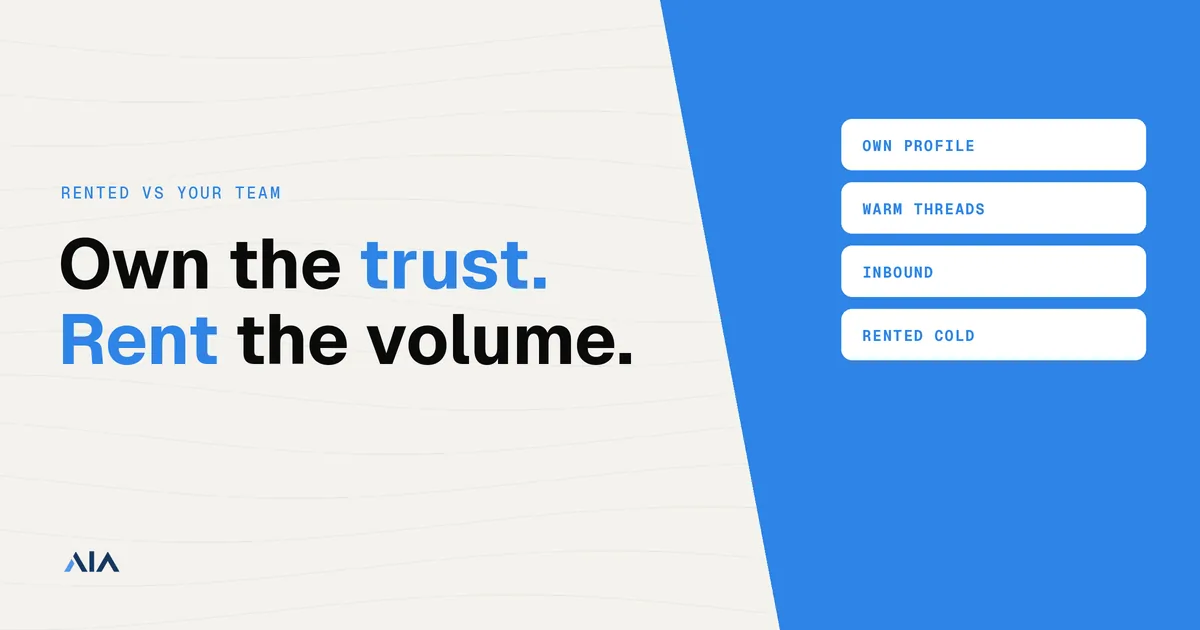
For cold volume, rented profiles add sending capacity your team cannot. For trust, replies that turn into deals, and inbound, your team’s own profiles usually win. Renting is outside LinkedIn’s User Agreement and any rented profile can be restricted. Use your own profiles for relationships, and rent only when volume, not trust, is the constraint.
| If this is the job | Use | Trade-off |
|---|---|---|
| You need more cold volume than your team can send | Rented profiles can help | Extra capacity, with terms risk |
| You need trust, deal conversations, or inbound | Your own profiles | The history stays with a person a buyer can check |
| You need both | A hybrid | Rented profiles for cold first touches, your team for warm and late-stage threads |
What counts as a “rented” profile and what counts as “your own”
A rented profile is a LinkedIn account you did not create for yourself. That covers three things people lump together: a real person’s account lent to you, an aged account bought or leased, and an AI or proprietary profile built for outreach.
AIA sells two of those. Proprietary AI profiles are Silver and Platinum. Real-person profiles that are ID-backed or ID-verified are Gold and Titanium. List prices, cheapest first, from the pricing page:
| Plan | Price | Profile |
|---|---|---|
| Silver | $97 per profile per month | Proprietary AI profile, 100+ connections |
| Gold | $147 per profile per month | Real-person profile, ID-backed or ID-verified, 100+ connections |
| Platinum | $177 per profile per month | Proprietary AI profile, 500+ connections |
| Titanium | $197 per profile per month | Real-person profile, ID-backed or ID-verified, 500+ connections |
Every LinkedIn plan is for North America or Europe, includes free setup with an automation tool, and is listed as warmed up and pre-aged. The integrations page lists volume discounts of 10% at 10 or more avatars, 20% at 50 or more, and 30% at 100 or more.
Sales Navigator is an add-on, not a plan. It is $57 per profile per month, and AIA’s pricing describes it as for “your own profile or an Avatar.” LIA Seat, the automation add-on listed after it, is $47 per seat per month. What Sales Navigator changes on a rented account is in this short guide. The two profile types are also described on why AIA avatars.
Your own profile is the other side of the comparison. It is the founder’s profile, an employee’s profile used with that person’s consent, or a new hire’s profile. The person owns the login, the network, and the inbox. Posts, replies, and the history a buyer scrolls all accumulate on them.
Is renting LinkedIn accounts allowed?
No. LinkedIn’s User Agreement does not allow renting or sharing accounts.
Section 8.2 says you agree not to:
Create a false identity on LinkedIn, misrepresent your identity, create a Member profile for anyone other than yourself (a real person), or use or attempt to use another’s account (such as sharing log-in credentials or copying cookies).
Section 3.4 says LinkedIn “reserves the right to restrict, suspend, or terminate your account” if you breach the agreement. The wording is in the LinkedIn User Agreement.
This is an account-level reading of that public text, not a legal opinion. The consequence the agreement names is on the account: LinkedIn can restrict it, suspend it, or close it.
AIA’s own FAQ states that AIA “operates outside LinkedIn’s Terms of Use”. Is renting LinkedIn accounts safe? No. Any rented profile can be restricted, including an ID-backed one. An ID check on the profile is not permission from LinkedIn to share the login.
Which gets better results? What the evidence shows
“Better” depends on which result you count. Acceptance, reply rate, time to a real conversation, inbound, and raw sending volume do not move together. A profile can win on volume and lose on the replies that turn into deals.
Acceptance and reply rates
The one published comparison we found is from Re:Vault (September 14, 2026). They sent 2,338 invites from 23 profiles in their own practice, and the audiences differed by group. On matured invites, acceptance was 24.4% for employee profiles, 20.3% for founder profiles, and 18.0% for rented profiles. Reply rate was 3.5%, 3.5%, and 1.9% in that same order.
Read the caveat with the numbers. It is one team’s test, not a market benchmark, and the three groups were not working the same list. For how teams usually define the two metrics, see LinkedIn connection acceptance rate and LinkedIn message reply rate.
AIA does not publish acceptance or reply rates by tier next to customers’ own profiles on the same campaign. Treat the Re:Vault split as one data point. Tag the profile source in your CRM and compare on your own list before you treat any gap as yours.
Speed, depth and inbound
The same test measured how fast a thread started and how far it went. Median time to first reply was 1.2 days on founder profiles, 3.2 days on employee profiles, and 4.0 days on rented profiles. Across 416 matured invites, rented profiles had zero people arrive on their own. Founder threads averaged 12.5 messages, against 4.8 on rented profiles.
Rented profiles did get replies. They got fewer of them, they started later, and the threads stayed shorter. Inbound and the longer conversation stayed with the person who owns the profile. A buyer who opens the profile, reads an older post, or comes back next month is coming back to that person.
Volume
One profile has a weekly ceiling, whatever type it is. LinkedIn connection request limits are per account. AIA’s FAQ recommends no more than 20 connection requests per day per AIA. That recommendation is a cap AIA asks customers to stay under. It is not a claim that LinkedIn publishes one universal number.
Capacity is the honest case for renting. You add profiles when your team cannot send the cold volume you want, and you still keep each profile under a limit. How far that multiplies is covered in how many LinkedIn accounts you can run for outreach.
What practitioners say
A July 2026 thread on r/b2bmarketing is skeptical of rented profiles. One commenter wrote that “3-4 real profiles with genuine networks outproduce 15 rented ones,” and others described a ban-and-replacement cycle. That is practitioner opinion, not a study. It matches the shape of the Re:Vault numbers: a few real profiles, with a real network, can beat a larger rented fleet on replies even when the rented fleet can send more.
Side-by-side comparison
| Rented profile | Your team’s own profile | |
|---|---|---|
| Who owns the network and inbox | The account. You do not. | The person whose name is on it |
| LinkedIn terms position | Renting and sharing accounts is outside the User Agreement | It is that person’s own member profile |
| Restriction exposure | The profile can be restricted at any time | It can also be restricted, and it is a real colleague’s presence |
| What happens on a restriction | You lose access to that inbox and network. See what a ban does to conversations and connections | The person may be able to recover access. The relationships are still theirs |
| Credibility if a buyer checks | Only as good as the profile they land on | They find the founder or the employee |
| Inbound from content | Stays on the rented profile | Stays with the person who posted |
| Cold volume per profile | One weekly ceiling. Scale means more profiles | One weekly ceiling, capped by how many people you have |
| Ramp-up | AIA plans are listed as pre-aged and warmed up | A new hire still needs a warm-up |
| Cost | Silver $97, Gold $147, Platinum $177, Titanium $197 per profile per month | The person’s time. Sales Navigator through AIA is $57 per profile per month, on your own profile or an Avatar |
| Best for | Cold first touches when volume is the constraint | Trust, inbound, and late-stage conversations |
For a cost-per-meeting view of volume, see LinkedIn outreach cost per meeting at scale. A wider look at vendors is in LinkedIn account providers compared.
The risks you take on with rented profiles
A restriction can land at any time. LinkedIn does not owe you a warning on a schedule.
If a rented account is restricted or banned, the connections and the message threads stay on that account. You lose access to the inbox and the network. A replacement profile is a different account, so a live thread does not move with you. What you still have is what you copied out before the ban. The detail is in what happens to conversations and connections if a rented account is banned.
Credibility is the next risk. Some buyers open the profile before they reply, or before they take a meeting. If the person they find is not someone at your company, the thread can die there even when the copy was good. Outboundry puts the same point this way: renting is the right answer less often than the market implies, especially when you sell to buyers who check who they are talking to.
Spillover is a third risk. Agent360 writes that a restriction on a rented account can reach your own accounts if they share devices, IPs, or payment methods. Keep that infrastructure apart.
The fourth risk is dependence on the provider’s replacement terms. Ask what a replacement is, and what carries over, and get the answer in writing. For AIA, that page is AIA’s replacement policy.
If you do rent, how to reduce the risk
None of this makes renting allowed, and none of it makes a restriction impossible. It limits how much one lost account costs the pipeline.
- Never run volume from the founder’s profile or your main company profile. Those stay for relationships.
- Stay well under the limits above, and warm up a profile before you ask it to carry a campaign.
- Separate infrastructure per profile. Bring your own proxy and an anti-detect browser. AIA does not include a proxy with the profile. See residential vs datacenter proxies for LinkedIn and anti-detect browsers for multiple LinkedIn accounts.
- Mirror every conversation into your CRM or reply inbox the day it arrives, and move warm threads to email early. Replies across many sender accounts are a separate problem. Underfive’s guide to a unified inbox for LinkedIn and email replies covers that workflow.
- Get the provider’s replacement terms in writing, and ask what carries over from a restricted profile. For AIA, read AIA’s replacement policy.
- Spread the work across channels so one LinkedIn restriction does not stop the campaign. The pattern is multi-channel outreach from one LinkedIn identity. A checklist for day-to-day habits is how to protect a LinkedIn account from restriction or suspension.
When rented profiles are the right choice, and when they aren’t
Rented profiles fit three jobs. Cold top-of-funnel volume is beyond what your team can send. You want to test a segment or a message before a real profile carries it. Or an agency runs many client campaigns and has already accepted the terms risk. The supply pages are rent LinkedIn accounts and renting LinkedIn accounts for outreach. The difference between a purpose-built profile and an aged account you buy is in AIA avatars or aged LinkedIn accounts.
They are a poor fit for founder-led selling, and for buyers who check who they are talking to before they answer. They are a poor fit when you cannot absorb a lost thread. They are also the wrong fix when acceptance is already low. That is a list problem or a message problem, and more profiles multiply it. If your team already has enough profiles for the volume you need, renting adds terms risk you do not need.
ID-verified accounts for outreach change what a buyer sees if they open the profile. They do not change section 8.2.
The hybrid model most teams end up with
Teams that stay with this usually stop arguing for one side. They split the work.
Own profiles carry content, warm introductions, late-stage threads, and anything about price. Rented profiles send the cold first touch. When a reply is warm, a real person takes it, on their own profile or by email. Tag the profile source in the CRM. Then you can see, on your own numbers, which source produces meetings and which only produces accepts.
That split is also how the two AIA profile types differ without pretending they are your team. A proprietary AI profile, Silver or Platinum, is a cold sender. A real-person profile, Gold or Titanium, ID-backed or ID-verified, is still not your founder. It can be a closer fit when the buyer is likely to open the profile, and it is still outside the User Agreement. Neither one should be the only copy of a deal.
FAQ
Is renting LinkedIn accounts against LinkedIn’s terms? Yes. Section 8.2 of the User Agreement prohibits using another person’s account and creating a profile for anyone other than yourself. LinkedIn can restrict or close accounts that break it.
Do rented profiles get lower reply rates than employee profiles? In the one published comparison we found (Re:Vault, 2026), yes: 1.9% vs 3.5% of invites. It is one team’s data, so test on your own list.
Can I use my founder profile and rented profiles together? Yes, if they stay separate. Different devices and infrastructure, rented profiles for cold first touches, the founder’s profile for warm and late-stage threads.
What happens to my conversations if a rented profile is banned? You lose access to them on LinkedIn. Connections and threads live on that account. What you keep, and what to do next, is a separate answer.
When should I not rent LinkedIn profiles? When trust matters more than volume, when your buyers check profiles, or when your acceptance rate says the list or the message is the problem.
If cold volume is the constraint and you have accepted the terms risk, start with how to get started with AIA.